



22+
YEARS OF RESEARCH
LET'S FISH

THE HILTON’S AND ROFFS COLLABORATION
Why would two competitors decide to collaborate?
Hilton’s and ROFFS have been innovators in the fish forecasting field for decades now – each have their unique business model and price points, but as competitors share many, many mutual customers.
Matt Upton, owner of ROFFS and Thomas Hilton, owner of Hilton’s, met at the Miami Boat Show a few years back, and the novel idea of competitors working together for the benefit of the many fishermen that use both services was born. The collaboration was launched in the spring of 2024 in the northern Gulf of America, and has since expanded into Cabo, Costa Rica, Bahamas, and all the way up the eastern seaboard to Maine.
THE HILTON’S AND ROFFS COLLABORATION
How it works
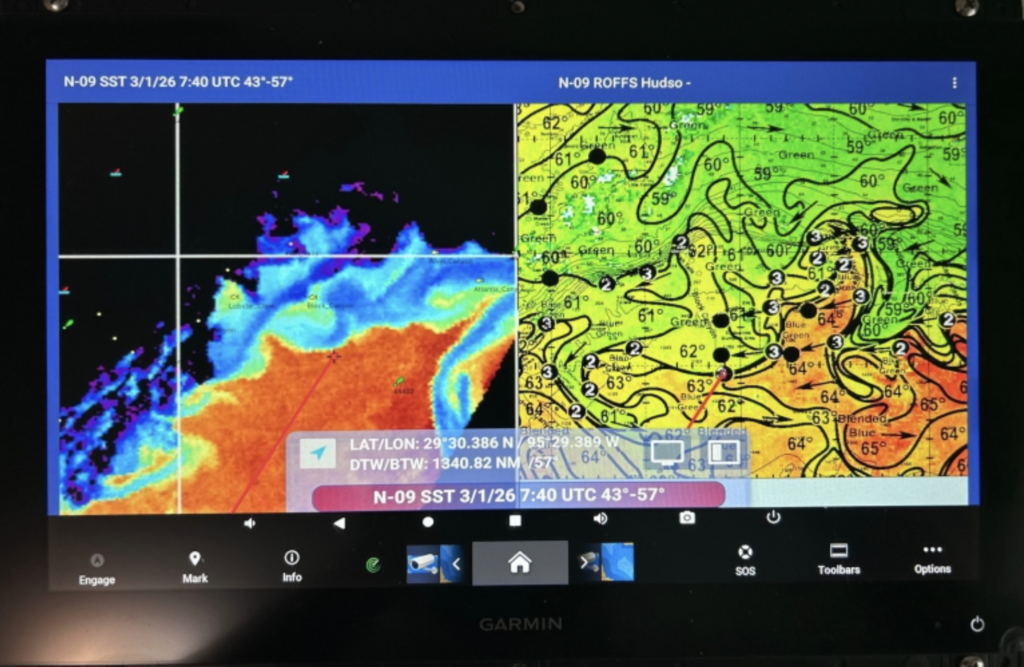
Hilton’s/ROFFS shown split screen in SAT2NAV on a GARMIN
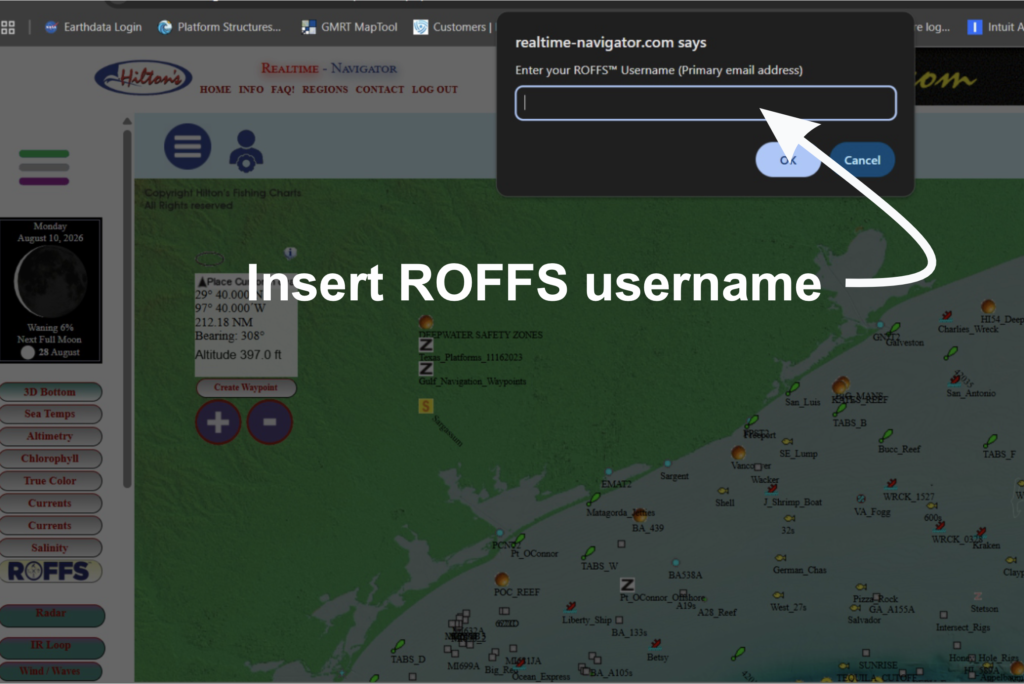
Inside a Hilton’s region, on the left nav bar are buttons providing access to 3d bathymetric charts as well as the latest satellite imageries such as Sea Surface Temperatures, Altimetry, Chlorophyll, True Color, Surface Currents, and Salinity. It is here where you will see the ROFFS button.
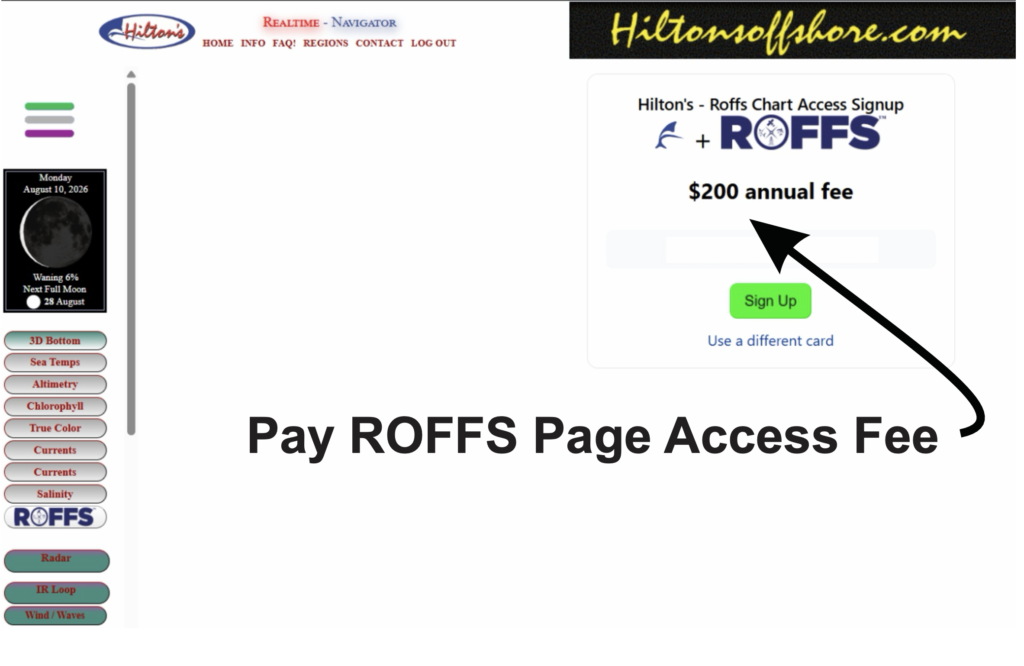
In order to use the system properly, you must first make sure that you have a registered ROFFS username which is usually your email address. Then, when you click on the ROFFS button it will first ask you for your ROFFS username, then alert you that there is a $200 fee to access the ROFFS page inside of Hilton’s. The reason for this annual charge is to help defray the costs of implementing all of the moving parts required to make the collaboration work between two entirely separate companies which proved to be a fairly challenging proposition!
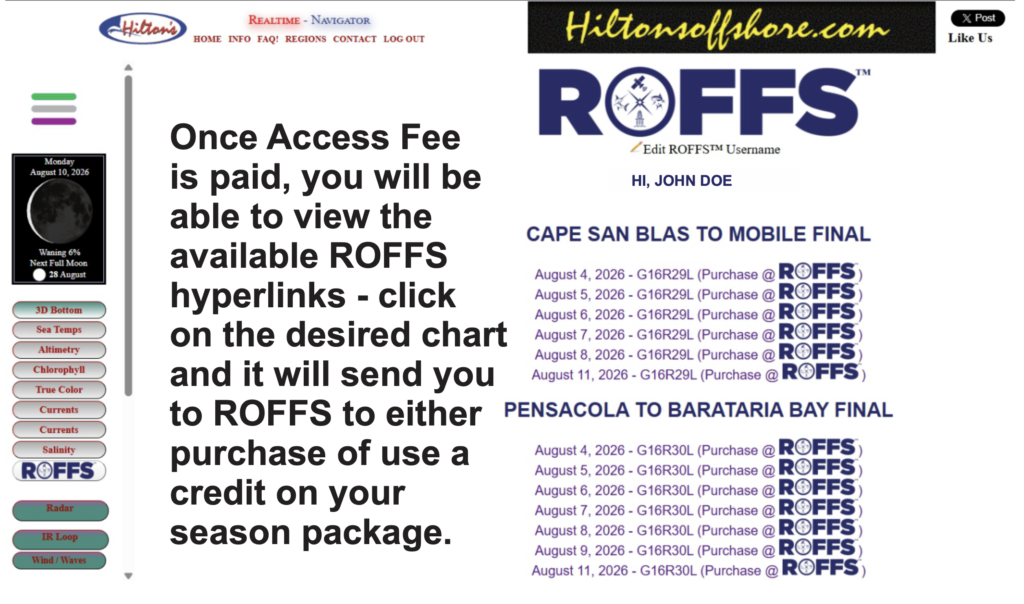
Once you gain access to the ROFFS page, you will see hyperlinks (with ROFFS logos) of all of the available ROFFS charts in that region. Note: ONLY analyses purchased and completed AFTER paying the $200 access fee will show up in the system. It will NOT go back and pull and display previously completed ROFFS analysis orders.
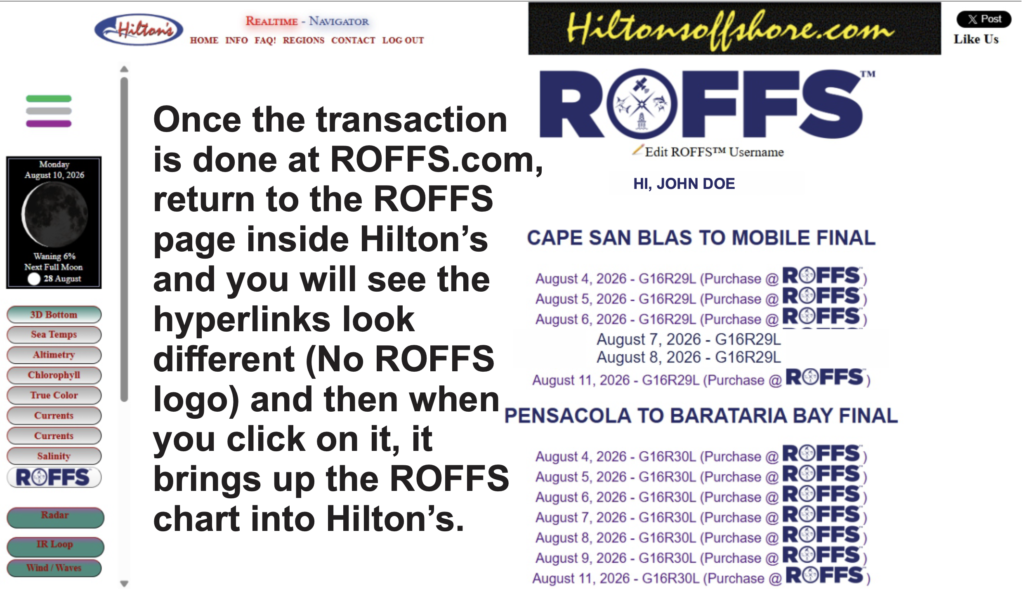
Click on the desired chart hyperlink and it will send you to ROFFS to either purchase outright or to apply a credit if you have a ROFFS season package. Once the transaction is complete, (it takes a few minutes to propagate through the system), and you return to the ROFFS page you will see the hyperlink looks different (no ROFFS Logo). Click on it and it pulls up the ROFFS chart inside the Hilton’s system, with all of the Hilton’s waypoints overlaid, ability to create routes, etc. as well as the ability to save them as NAVIGATION CHARTS to navigate on outside of cell range using our RT-NAV navigation app or our SAT2NAV system on your chart plotter.

THE HILTON’S AND ROFFS COLLABORATION
HOW IT WORKS
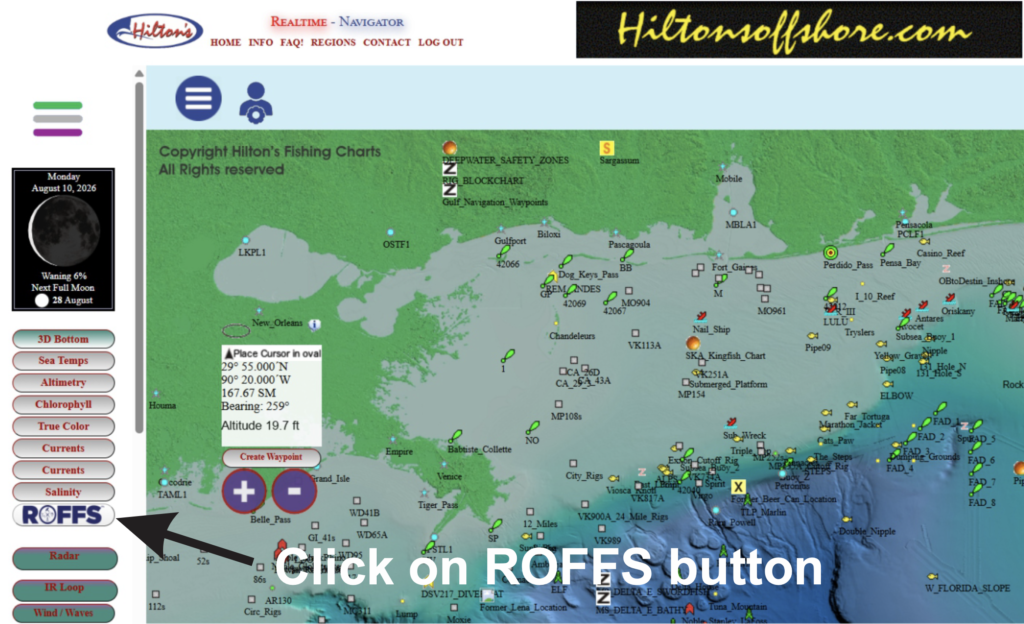
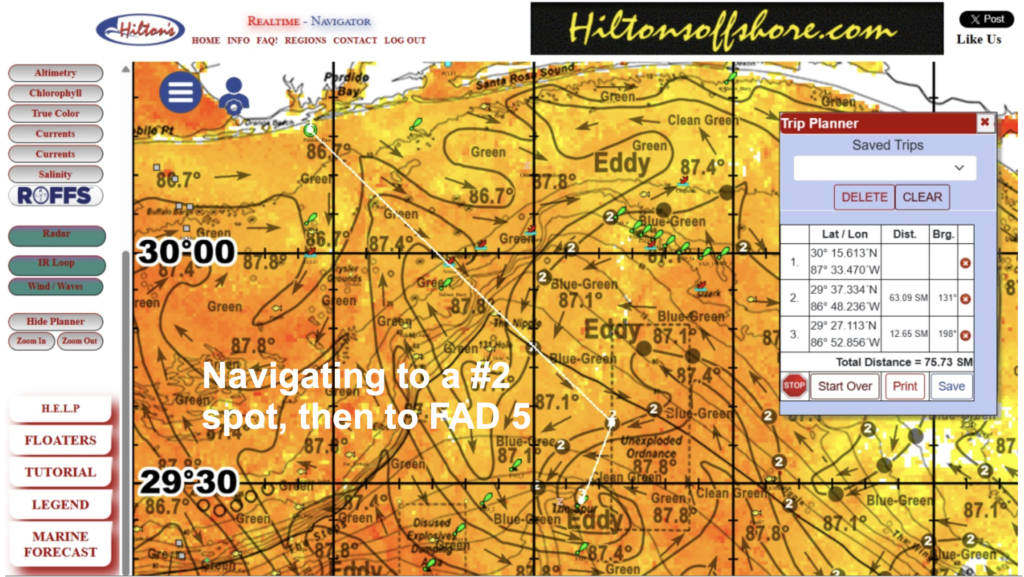
ROFFS chart is overlaid with Hilton’s waypoints, ability to create routes and compare with any Hilton’s charts, save as navigation chart to use in the RT-NAV app (smart device) or SAT2NAV system (chartplotter).
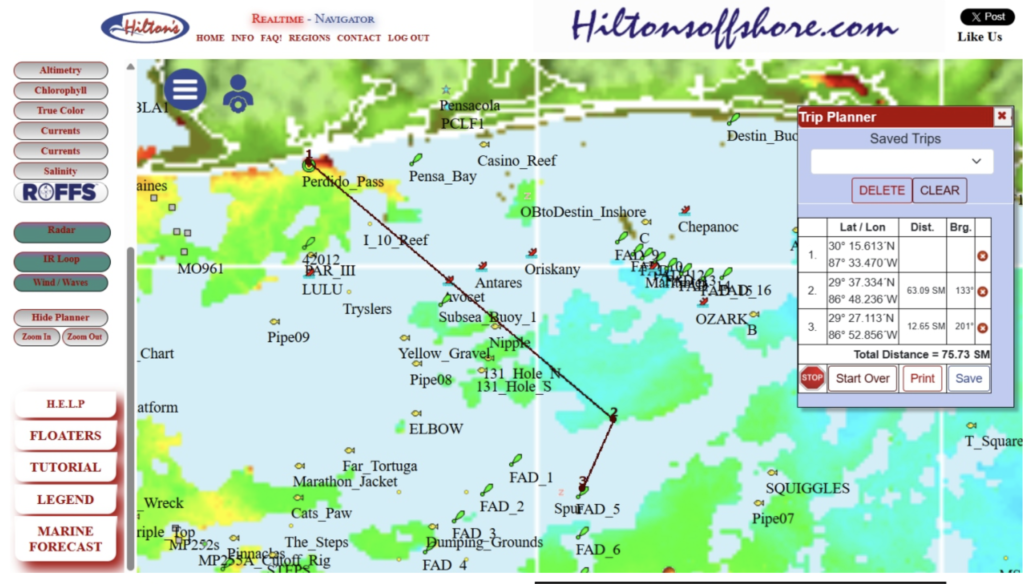
ROFFS chart is overlaid with Hilton’s waypoints, ability to create routes and compare with any Hilton’s charts, save as navigation chart to use in the RT-NAV app (smart device) or SAT2NAV system (chartplotter).